takeoff suite
Fast takeoffs for small trade contractors

Upload plans, count fast, and build quantities in minutes.

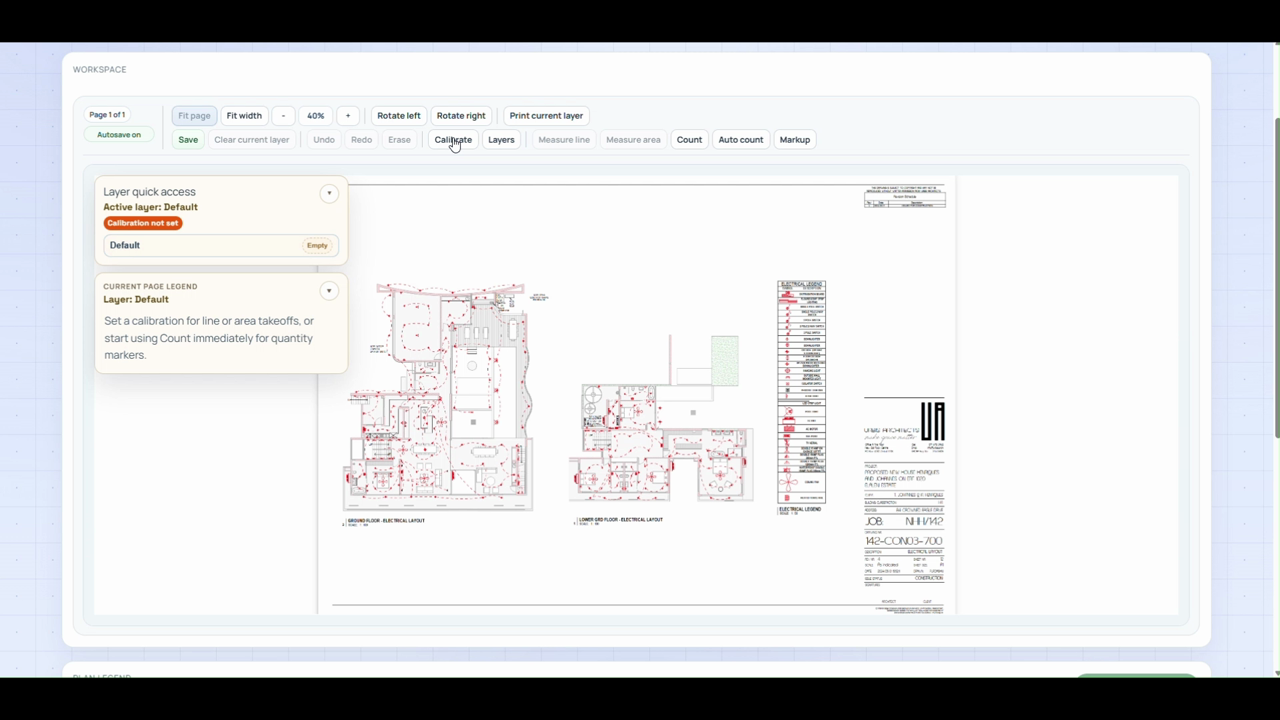
Takeoff Suite gives small trade teams a focused workflow for digital takeoffs. Upload drawings, calibrate once, count fixtures, measure runs, and export clear quantities without enterprise overhead.

Launch offer

Save 50% with SIGNUP50

Enter the code during checkout.

Plans from

$19 per month

Monthly plans include a 14 day free trial.

Start with one job, one drawing set, and a monthly plan you can test before committing.

Prefer pricing first? Open Pricing to compare plans for solo estimators, small crews, and growing trade teams.

A · 12.4m B · 8.7m C · 19.2m
1 : 100

Built for small trade teams that need a fast way to turn drawings into counts, measurements, and bill-of-quantities exports.

Step 1

Upload the drawing set

Create the job, upload the sheets you need, and keep the active drawing set in one place from the start.

Step 2

Calibrate once and start measuring

Set the scale, organize layers by trade, zone, or package, and start counting and measuring right away.

Step 3

Export quantities for pricing

Use line, area, count, and auto-count tools to build a roll-up you can export for quoting the same day.

Item counts

Count repeated items faster

Use count and auto-count for fixtures, fittings, devices, or repeated symbols, then keep everything grouped on the same plan.

Small crews

Keep takeoffs simple

Start on one job without a heavy estimating rollout. The workflow is built for small and mid-sized contractors, not enterprise admin overhead.

Quoting

Get quantities ready for pricing

Review the roll-up, export a bill of quantities, and move your numbers downstream when the takeoff is complete.

See the workflow in action

From upload to roll-up, these are the core actions that help trade teams move from raw drawings to priced quantities faster.

  • Upload plans and calibrate once before the takeoff starts
  • Count, auto-count, and measure without switching into a heavier estimating workflow
  • Organize layers by trade, area, circuit, or scope package
  • Keep a live legend of current measurements while you work
  • Review one roll-up table across plans and layers before export

Line measurement

Area measurement

Auto count

Count

FAQs

Common questions before you start

Is Takeoff Suite hard to learn?

No. Most small trade teams can create a job, upload plans, and start measuring on the same day without weeks of onboarding.

Can I use Takeoff Suite to count repeated plan items?

Yes. Count and auto-count help you work through repeated symbols, fixtures, fittings, and other marked items, then export the roll-up for pricing.

Can I try it before committing?

Yes. Every monthly plan includes a 14 day free trial so you can test the workflow on real jobs before you commit.

What can I export when the takeoff is done?

You can export the measurement roll-up as a bill of quantities for downstream pricing and quoting work.

Does Takeoff Suite connect to accounting software?

Yes. Takeoff Suite currently integrates with Xero, and more accounting integrations are planned. That means you can measure and count in Takeoff Suite, then move those quantities into your quoting workflow without re-entering everything by hand.

Can I use the launch offer at checkout?

Yes. Enter SIGNUP50 during checkout to apply the 50% first-month discount.

Can I cancel at any time?

Yes. You can cancel whenever you need to, and your plan stays active through the end of the current billing period.